
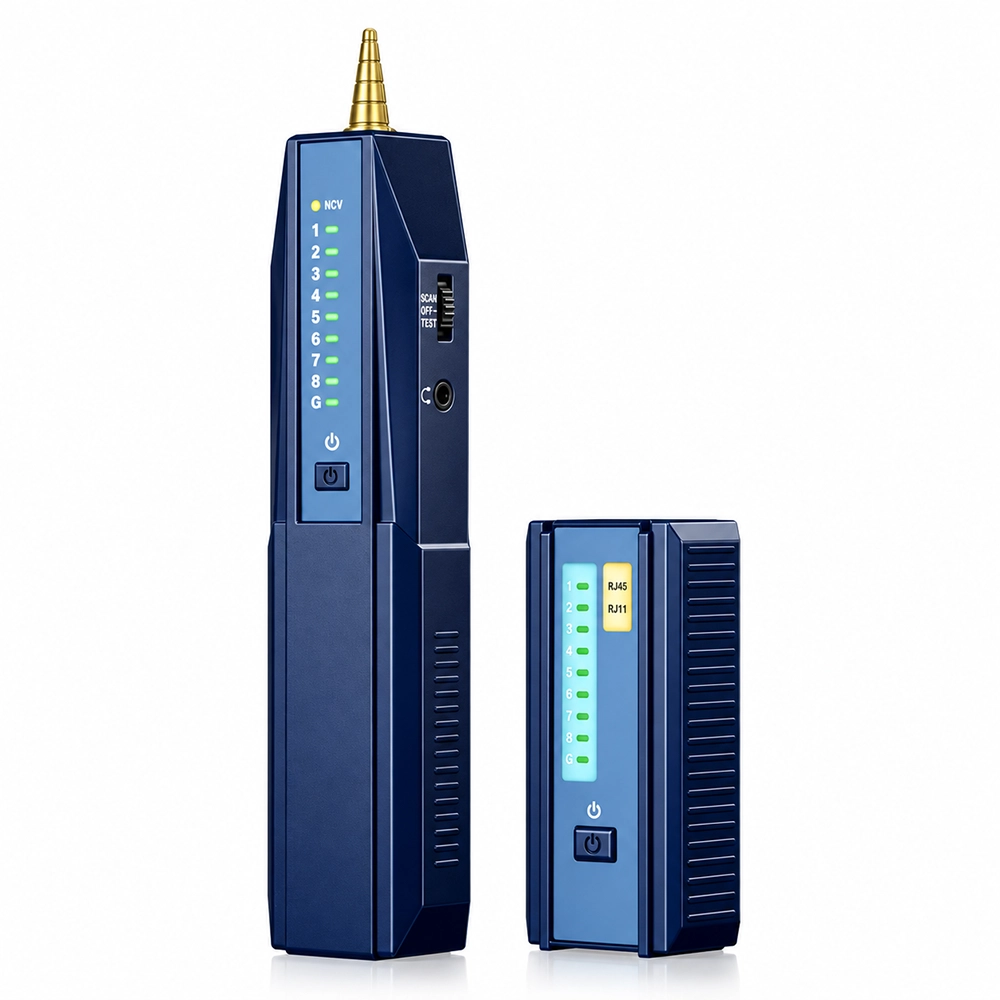
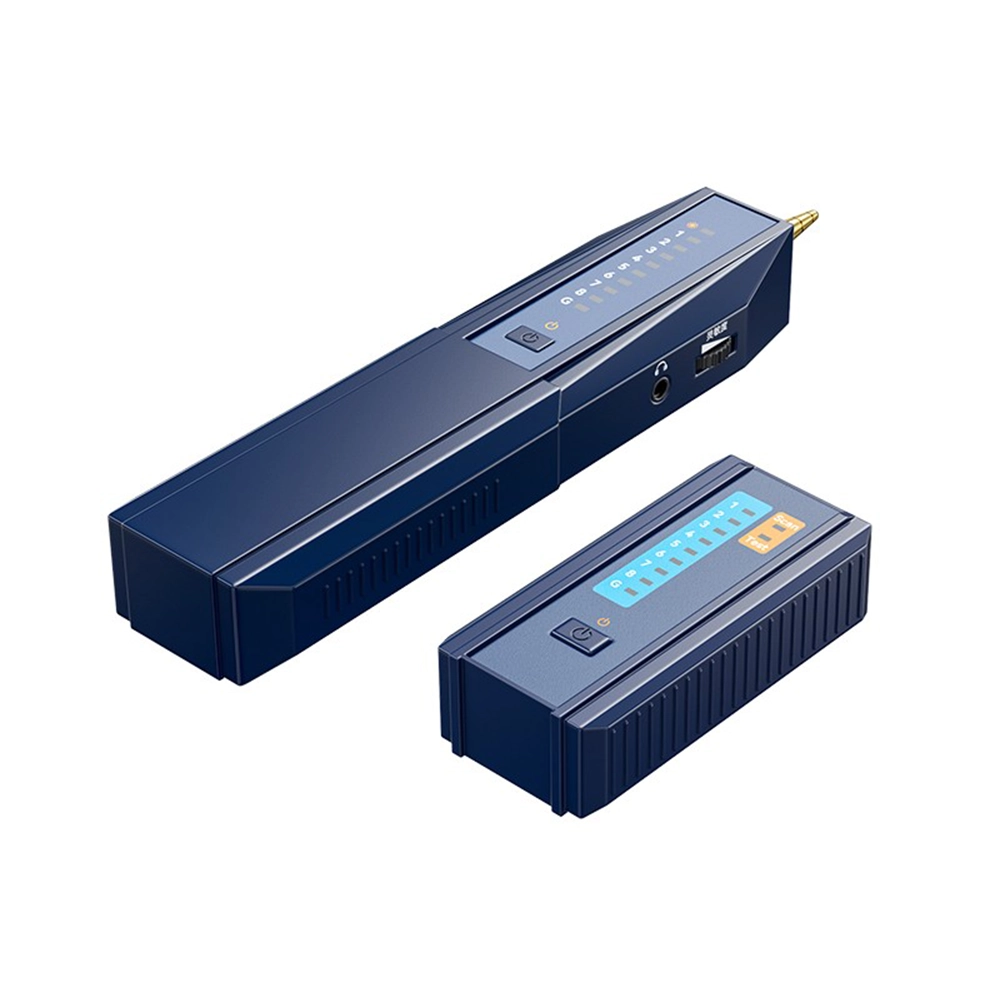
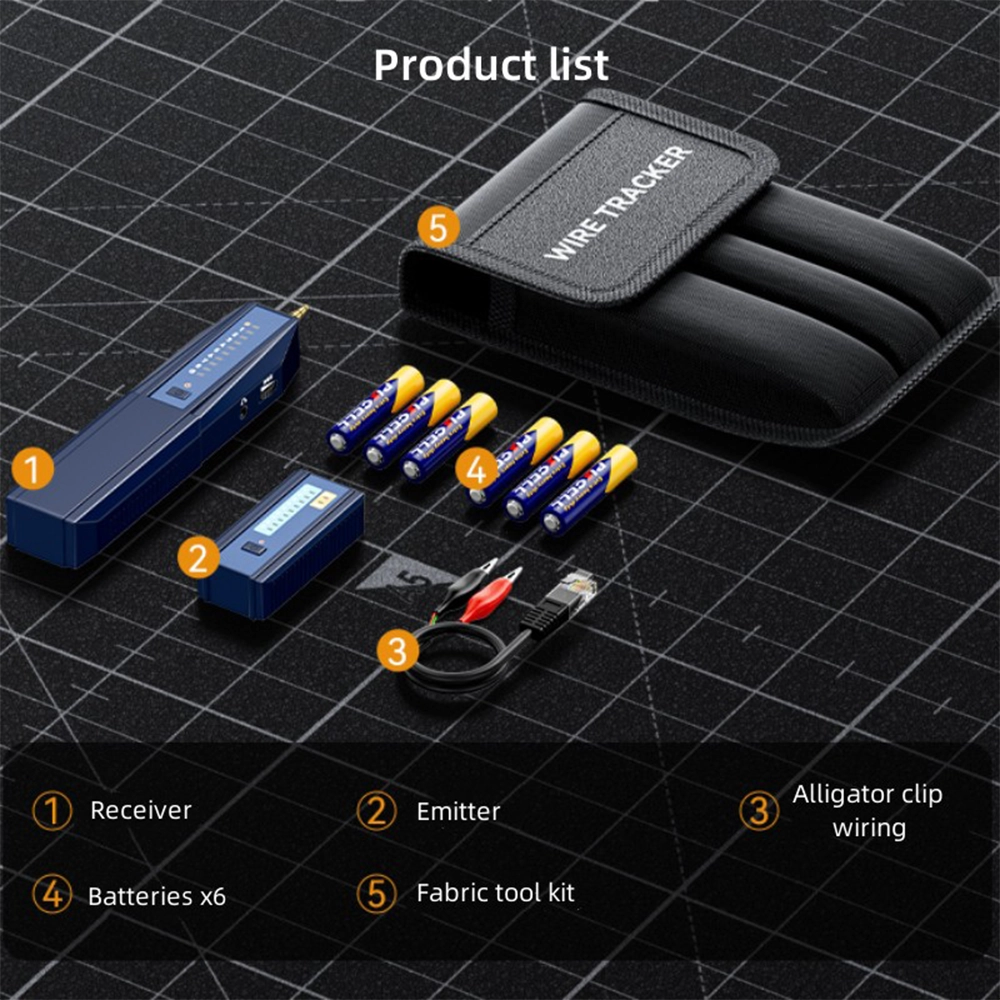
A network cable tester like the DTECH DT-TXJ008 solves a specific job-site problem: working out which physical cable, out of a bundle or behind a wall, connects to a given port or jack. It’s a toner-and-probe style tracer, built for network cables, telephone cables and metal cables alike, with an RJ45 port and a dedicated POE port on the transmitter, adjustable sensitivity, and an earphone jack for quiet, private tracing on site.
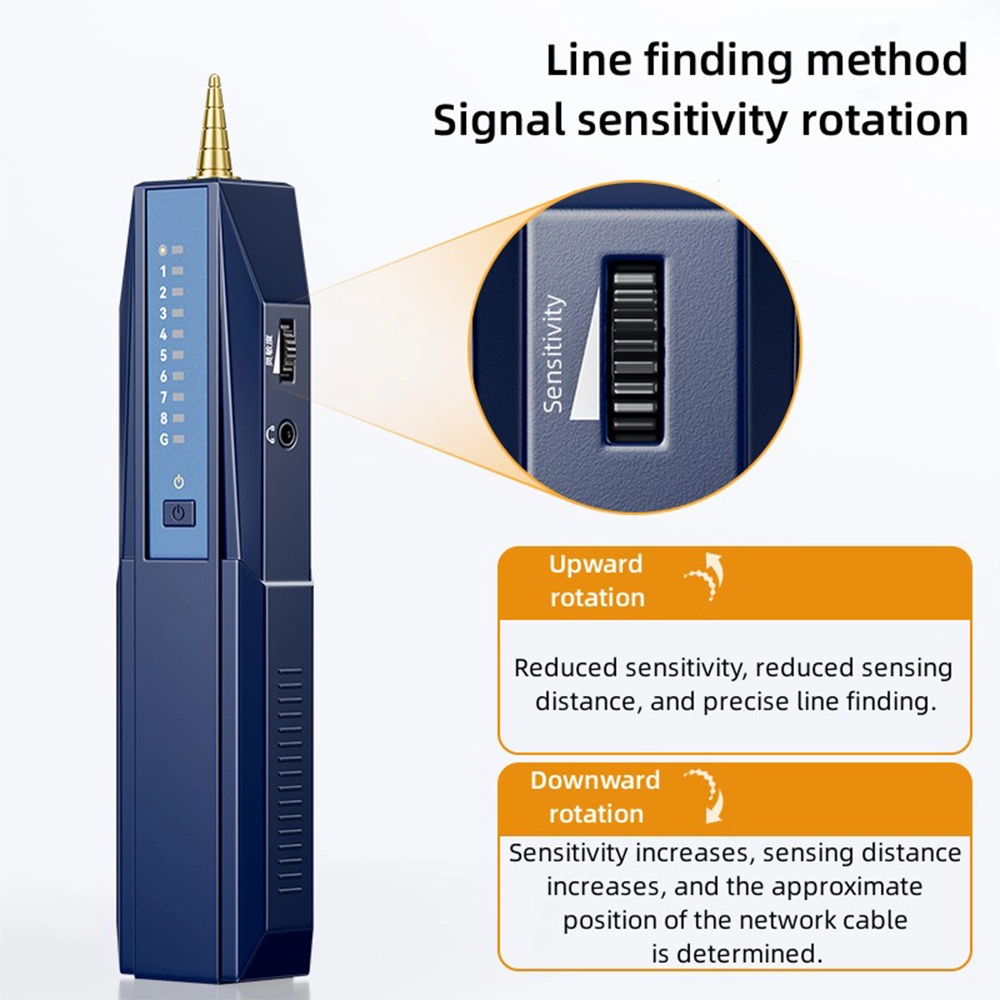
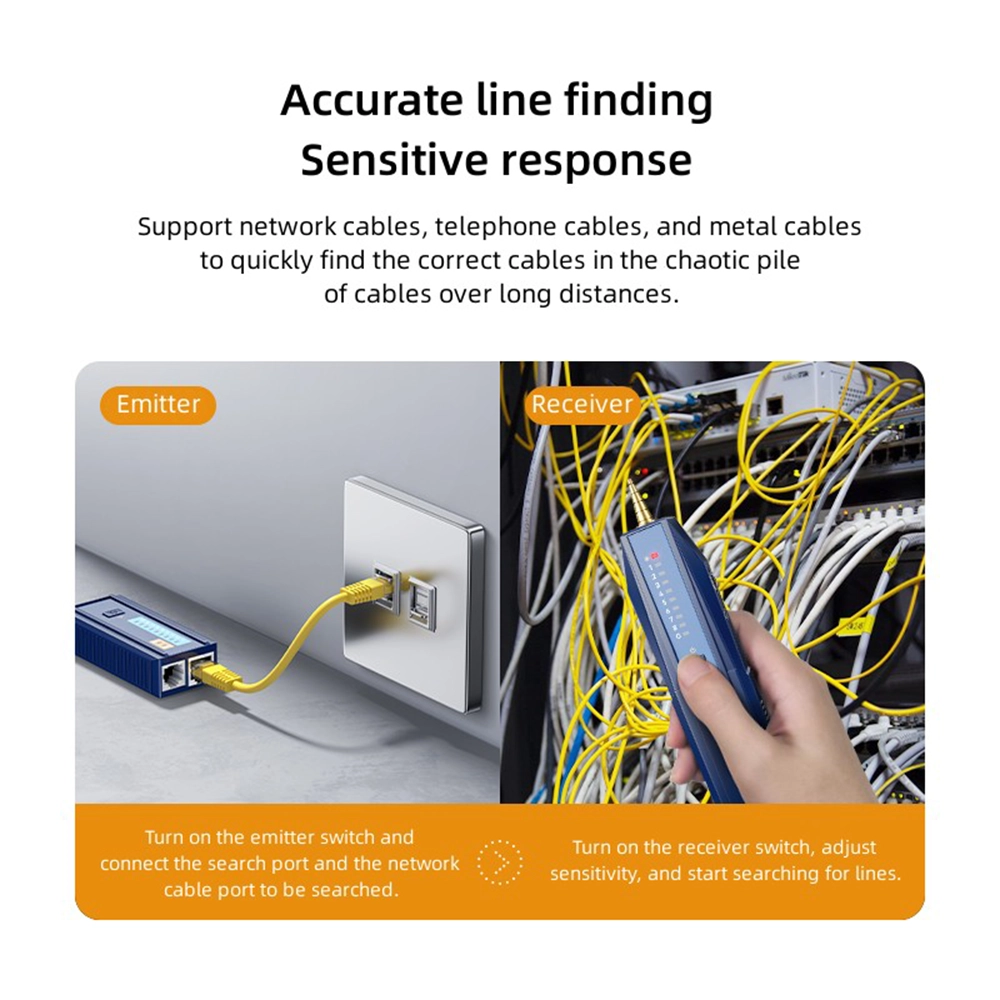
The tester uses a rotating sensitivity dial. Rotating it upward reduces sensitivity and sensing distance, which is what you want for precise, close-range line finding once you’ve narrowed things down. Rotating it downward increases sensitivity and sensing distance, useful for sweeping a wider area to find the approximate position of a cable before zeroing in. That two-stage approach — wide sweep, then precise fix — is what lets it isolate one cable out of a chaotic pile over a long distance.
The tester isn’t limited to one cable type: it’s built to find network cables, telephone cables and metal cables. That range covers the mixed bundles technicians actually deal with in comms rooms, ceiling voids and conduit runs, where Ethernet, phone and other metallic cabling often share the same pathway.
The transmitter connects via RJ45 or a dedicated POE port, so it covers both standard Ethernet lines and PoE-fed cable runs. An earphone port on the receiver lets the technician monitor the tracing tone privately through headphones rather than a speaker — useful on occupied sites or in quiet office environments where an audible tone would be disruptive.
This is a working tool for cabling technicians, network installers, and MEP or electrical contractors — the kind of team BAM already supplies with industrial serial and cabling accessories. It earns its place in a service van or tool bag for anyone regularly tracing cable runs during installs, moves or fault-finding.
Pulled from the DTECH product page — note in the section below that this page is thinner on detail than the manual-backed listings, so several common spec fields aren’t published.
| Parameter | Specification |
|---|---|
| Product Name | Multifunctional Line Finder |
| Model | DT-TXJ008 |
| Brand | DTECH |
| Function | Find/align / measure cables |
| Ports | RJ45, POE |
| Colour | Blue |
| Cable Types Supported | Network cables, telephone cables, metal cables |
| Sensitivity Control | Rotating dial — up for precision, down for wider sensing range |
| Monitoring | Earphone port |
| Warranty | 1 year |
| Origin | China (shipped from Guangzhou/Shenzhen) |
Not published on the source page — battery type, dimensions/weight, maximum tracing distance in metres, and box contents — flagged in the last section rather than guessed here.
What cable types does this network cable tester work with? Network cables, telephone cables and metal cables.
How do I adjust how precisely it finds a cable? Rotate the sensitivity dial up for a shorter, more precise sensing range once you’ve narrowed down the location, or down for a wider sensing range to sweep a larger area first.
Why does it have an earphone port? So you can monitor the tracing tone privately through headphones instead of a speaker — useful on occupied sites or in quiet offices.
Does it support PoE lines? Yes — the transmitter has a dedicated POE port alongside the standard RJ45 port.
Share your thoughts with other customers
WhatsApp us
Reviews
There are no reviews yet.